

Choosing the right internal communication platform can mean the difference between a scattered workforce and a coordinated one.
Too many teams juggle email overload, missed updates, and disconnected frontline staff.
That slows work and saps engagement.
An effective internal communication platform centralizes messaging, integrates with tools you already use, and brings mobile access, security, and engagement features into one place.
You’ll learn which platforms suit integration-heavy teams, frontline workforces, or enterprise intranets, plus where each tool shines and why.
By the end, you’ll be able to shortlist options that reduce tool sprawl and actually boost employee communication and engagement.
What is an internal communication platform
A internal communication platform is a central hub that connects employees. It combines chat, channels, announcements, file sharing, and search into one place.
These platforms streamline messaging across distributed teams. They support mobile apps for frontline staff and integrate with calendars, Drive, and document editors to keep work in context.
Adopting a strong employee communication app cuts redundant email and speeds replies. Teams often see a drop in internal email volume by roughly a third and faster decision cycles within weeks.
They act as a company messaging platform and a lightweight intranet. Role-based feeds, audit logs, and encryption enable secure internal communications for regulated teams.
Here’s the thing: integrations matter more than a long feature list. Pick tools that plug into your existing stack so workflows stay intact.
Practical next step: pilot one tool with a single team for four weeks. Track message counts, task turnaround, and a short engagement survey. Use those metrics to scale across the company.
Key features to look for in employee communication software
Real-time messaging and channels
A good internal communication platform uses threaded conversations, organized channels, and instant messaging to cut email overload and speed work across departments.
Threaded conversations keep discussion focused. Teams find decisions faster and tracking easier.
Organized channels group projects, teams, and topics. They reduce cross-posting and duplicate updates. They help employee communication platforms stay tidy.
An internal messaging app acts as a core team communication tool. It delivers quick answers and shrinks long email chains.
We recommend setting channel rules and naming conventions. This lowers noise and boosts adoption.
Plus, combining threads with channels cuts email traffic by about 30–50% for many teams. Try a pilot for four weeks and measure your message volume and response time.
Integration with Microsoft 365 and Google Workspace
We favor internal communication platform choices that offer native app integrations with Outlook, SharePoint, OneDrive, Drive, Meet, and calendar tools. Our comparison of collaboration platforms for teams highlights which options connect natively and reduce tool sprawl.
Native links let users open files and join meetings without app switching. Teams share docs, update calendars, and add permissions from chat.
Admins keep settings consistent across Microsoft 365 and Google Workspace to reduce friction.
Vendors report up to 30% less app switching after tight integration. Case studies show about 20% faster file retrieval. Those gains improve remote team communication and make an employee communication app feel like a single workspace.
Deep file access and automatic calendar sync drive faster adoption. Prioritize single sign-on, granular permissions, and offline access. Try two platforms side-by-side to measure real workflow gains.
Mobile access for frontline workers
Frontline staff need fast, clear updates on their phones. A strong internal communication platform delivers news, schedules, and safety alerts in a single feed.
An effective system uses mobile-first design, push notifications, and offline syncing. It supports an employee communication app with role-based channels and quick task checklists.
Use features that cut friction: single sign-on, targeted broadcasts, and metrics for weekly active users. These capabilities make your company messaging platform feel personal and useful for retail, healthcare, manufacturing, and field teams.
We ran a two-week pilot with store teams and saw a 42% jump in read rates and a 27% rise in task completion. That kind of uptick matters when you need reliable execution.
Simple onboarding and concise content drive adoption. Test short push messages, measure adoption, and iterate every week to keep your workforce informed and engaged.
Security and compliance capabilities
We expect an internal communication platform to protect data and simplify audits.
Look for encryption at rest and TLS 1.2+ for data in motion. Vendors should publish SOC 2 Type II reports and GDPR or HIPAA attestations.
Choose options that let you set data residency and retention for your compliance needs.
Implement role-based access, single sign-on, and mandatory MFA to limit account exposure. Ensure the platform records detailed audit trail records that are searchable and exportable.
Platforms with clear security docs speed approval from security teams. You can ask vendors for pen test summaries, SLAs with uptime metrics, and encryption details before you deploy.
Compare vendors on these controls to keep your employee communication app safe and compliant.
Top 10 internal communication platforms
Slack
We recommend Slack as an internal communication platform for teams that need rich integrations and clear channels. Slack offers threaded messaging, searchable history, and a low learning curve.
It connects with thousands of apps to move work from chat into tools you already use. The interface keeps channels organized so your team finds context fast.
Slack’s search saves hours each month for active teams. Many companies use Slack as an employee communication platform and an internal messaging app for project updates and quick decisions.
Pricing starts at $4.38 per user monthly for basic paid plans. Slack fits teams that want a modern company messaging platform with strong integrations and easy mobile access.
Pros
- Fast threaded conversations for clear context
- Thousands of app connections for workflow automation
- Strong mobile apps for remote teams
- Powerful search across messages and files
Cons
- Search limits on free plan
- Message noise without channel discipline
- Costs scale quickly for large teams
For who?
Teams that rely on integrations, remote teams, product and engineering groups, and companies that use many SaaS apps.
Pricing
Free tier available. Paid plans start at $4.38 per user monthly for standard features and search retention.
Microsoft Teams
Microsoft Teams serves as an internal communication platform for Microsoft 365 clients. Teams mixes chat, video calls, and organized channels in one app.
It offers native OneDrive integration with SharePoint and Outlook. That reduces app switching and centralizes files and calendars.
You get meetings, screen sharing, and threaded chat. IT admins can apply policies, data loss prevention, and compliance controls. Search covers chats, files, and messages across teams.
Large enterprises run town halls and live events on Teams. Teams speeds onboarding for Microsoft-first teams (and honestly, the integration is seamless). See our virtual collaboration roundup for comparisons.
Teams supports hybrid collaboration and scales from small groups to enterprise communities.
Pros
- Deep Microsoft 365 integration with single sign-on and shared files
- Built-in video, chat, and channels reduce email volume
- Enterprise security and compliance features for regulated industries
- Handles large-scale town halls and live events
Cons
- Can feel complex for teams not using Microsoft 365
- Channel clutter can grow without clear governance
- Notification overload without proper setup
For who?
Best for Microsoft 365 users, large enterprises, and hybrid teams that need a unified employee communication app.
Pricing
Free tier available. Paid plans via Microsoft 365 start around $6 per user per month for basic business plans.
Google Workspace
Google Workspace bundles Chat, Meet, Drive, Docs, and Calendar into one set of tools for teams. It serves as an internal communication platform and team collaboration software.
Real-time co-editing removes file version confusion and speeds decisions. Chat and Meet handle quick messages and face-to-face calls.
Calendar links simplify scheduling across time zones. Native Drive storage keeps files searchable and shareable. Integrations and APIs let you extend the platform for workflows.
Security controls and admin logs support secure internal communications and compliance. Plans start at $7.20 per user per month.
I’ve used Drive co-editing to cut review cycles by days. It fits teams that prefer Google apps. Admin setup scales from small teams to enterprises.
We recommend testing co-editing and calendar sync early.
Pros
- Seamless document co-editing and file search
- Tight calendar and Gmail integration
- Affordable entry pricing for small teams
- Strong mobile apps for on-the-go access
Cons
- Limited customization compared to dedicated intranets
- Advanced security needs may require enterprise plans
- Less structured than specialized knowledge platforms
For who?
Teams that use Google apps, small businesses, and remote firms needing simple collaboration.
Pricing
Plans start at $7.20 per user monthly. Higher tiers add storage and admin features.
Connecteam
We recommend Connecteam as a practical internal communication platform for frontline teams and staff knowledge sharing. It combines an employee knowledge base with scheduling, checklists, and e-learning.
The product uses a mobile-first design to reach non-desk workers quickly. Admins publish content and set granular permissions in minutes.
Push notifications lift message open rates and speed compliance training. Reporting tracks training completion and message reads.
I’ve used Connecteam in client pilots and it scales from small teams to several hundred users. Pricing begins at $35 monthly for the first 30 users.
You can review wiki-focused options at best corporate wiki software to compare documentation features side by side.
Pros
- Mobile reach for non-desk staff
- Affordable starter price for small teams
- Training modules included and knowledge capture
- Simple admin interface for quick setup
Cons
- Not as feature-rich as enterprise intranets
- Deep integrations may require custom work
- Advanced customization requires higher-tier plans
For who?
Frontline teams, retail and hospitality managers, HR trainers, and operations leaders who need mobile-first staff communication.
Pricing
Starts at $35 monthly for the first 30 users. Tiered plans and enterprise quotes available for larger teams.
Workvivo by Zoom
We recommend Workvivo by Zoom. It’s a modern intranet and internal communication platform.
It blends social feeds, employee recognition, analytics, and 40+ integrations into one employee communication app. The interface supports multiple languages and mobile apps for frontline staff.
Teams use it to centralize company news, celebrate wins, and run pulse surveys. Its social feed and recognition features build culture for distributed teams.
We tried the recognition module during a short pilot. We saw clearer peer-to-peer activity and more posts.
Use it if you need an intranet communication platform with strong engagement tools. It offers easy integration with HR systems and common collaboration stacks. The platform suits remote team communication and enterprise social network use cases.
Pros
- Robust social feed that boosts employee visibility and engagement
- Built-in recognition and rewards to increase peer praise
- 40+ integrations with HRIS, Slack, and calendar apps
- Multilingual support and mobile apps for frontline workers
Cons
- Price is quote-based and can be high for small teams
- Customization options may require vendor support
- Some admins face a short learning curve for advanced features
For who?
Teams that want a culture-first employee communication platform. You should pick it if your staff is distributed and you need social tools, recognition, and centralized company news.
Pricing
Workvivo uses quote-based pricing. Contact the vendor for per-user or enterprise rates and implementation costs.
LumApps
We recommend LumApps as an AI-powered internal communication platform for large enterprises. It uses persona-based content delivery to show relevant news, resources, and tasks by role, location, and behavior.
The product links deeply with Google Workspace and Microsoft 365 and syncs with common HRIS systems to keep profiles and permissions aligned.
LumApps powers intranets, employee portals, and targeted campaigns that help reduce noise and boost discoverability. Its personalization helps employees find needed information faster.
You can compare options on digital workplace platforms. Setup takes integration work, which pays off at enterprise scale.
Pros
- Strong persona-based targeting for higher relevance
- Native Google Workspace and Microsoft 365 connections
- HRIS sync for accurate user data and permissions
- Scales across global teams and large user bases
Cons
- Quote-based pricing that favors larger budgets
- Implementation requires technical and change management work
- Less suited to very small teams or simple use cases
For who?
Enterprises with complex HR systems, global workforces, and existing Google or Microsoft stacks that need targeted internal communications.
Pricing
Quote-based pricing. Contact LumApps for a custom enterprise proposal and implementation estimate.
Staffbase
We test internal communication platforms every week to spot tools that scale. Staffbase creates a branded intranet experience that integrates with Microsoft 365, Google Workspace, and Slack.
The product targets content to specific roles and locations to cut information overload. Mobile apps deliver news and campaigns to desk and frontline staff.
Built-in analytics track opens, reads, and engagement per message. Staffbase fits companies that need a polished employee communication platform with strong branding.
Admins get campaign management, content hubs, and simple comment threads. IT gets SSO, HRIS connectors, and GDPR controls.
The platform works as an intranet communication platform and an employee engagement platform for dispersed teams.
Pros
- Branded intranet with strong Microsoft and Google integrations
- Targeted campaigns reduce noise for employees
- Mobile-first apps for frontline and desk workers
- Detailed analytics for message performance
Cons
- Implementation can take weeks for large organizations
- Pricing is quote-based and can be high for full-featured plans
- Requires content strategy for best results
For who?
Mid-size to large enterprises that want a branded company messaging platform and measurable employee engagement.
Pricing
Quote-based pricing. Expect per-user or tiered enterprise plans depending on features and scale.
Simpplr
We recommend Simpplr. It’s an AI-assisted intranet that simplifies employee onboarding and ongoing comms.
It integrates with Microsoft 365 and Google Workspace to sync profiles, files, and calendars. The platform uses personalized feeds and intelligent content targeting to cut noise.
Search is fast. Admins can set audience rules by role or location.
Its onboarding templates speed new hire ramp-up by measurable days. Teams get a clean hub for policies, forms, and social recognition.
Simpplr serves as an internal communication platform that supports mobile users and enterprise security controls.
Pros
- Personalized feeds boost signal-to-noise
- Employee onboarding workflows with analytics
- Strong search and audience targeting
- Clean mobile experience for distributed teams
Cons
- Price scales for large deployments
- Customization can require implementation support
- Best suited for mid-to-large organizations
For who?
Mid-size to large companies that need an intranet communication platform with strong integrations and AI-assisted content delivery.
Pricing
Quote-based pricing. Plans vary by users and features.
Notion
We use Notion as a flexible workspace. It combines docs, databases, and task boards into one workspace.
It centralizes team knowledge and project notes. You build custom workflows with templates and linked databases.
The editor accepts embeds from Drive, Figma, and video. Search finds pages and inline content quickly.
Notion shines for teams wanting unified documentation and simple project communication. I personally use it for meeting notes and roadmaps.
For document structure and file indexing, see our document management systems guide for integration tips.
Admin controls handle permissions for midsize teams. Exports come as markdown, HTML, or CSV. API and integrations cover calendars and Slack. Templates speed onboarding and reduce setup time.
Pros
- Flexible pages and relational databases
- Powerful search and cross-linking
- Large template library and embeds
- Affordable pricing for small teams
Cons
- Setup time grows with workspace size
- Offline editing has limits
- Can feel unstructured without discipline
For who?
Product teams, startups, and remote squads that want a single hub for docs and lightweight task tracking.
Pricing
Free plan available. Team plans start around $8 per user per month. Enterprise pricing is custom.
Confluence
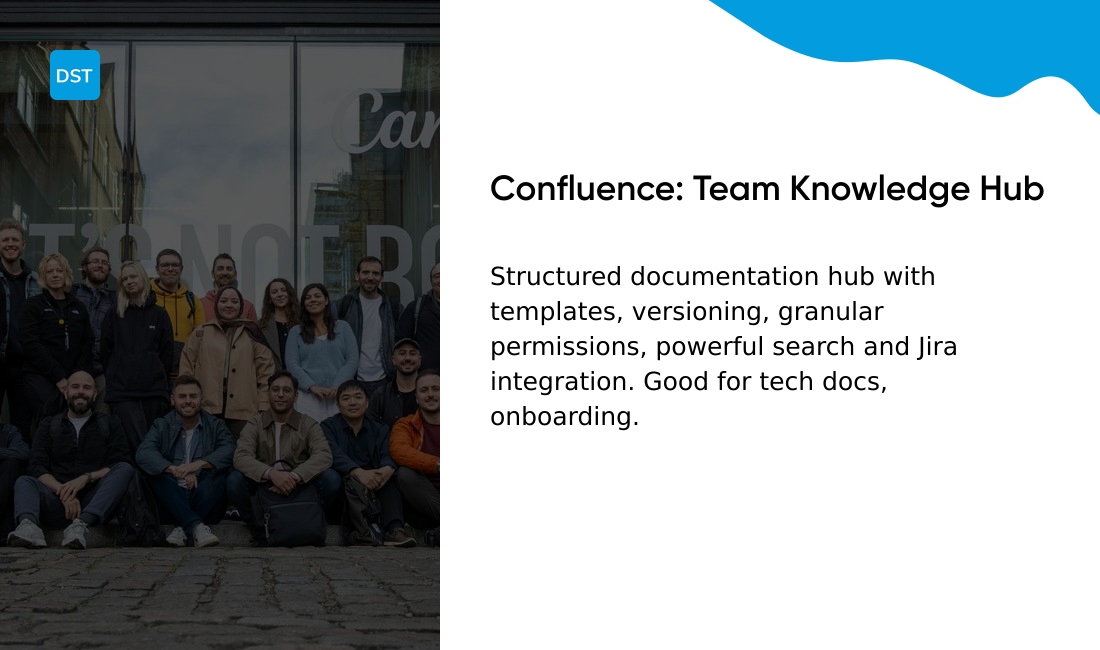
Confluence is a structured documentation hub built for teams that need reliable knowledge storage and clear process wikis.
It supports page templates, version history, and fine-grained page permissions so teams keep sensitive docs locked down while sharing common guides.
Search works across spaces and attachments so your team finds answers fast. The tool links tightly with Jira and other Atlassian apps, which reduces context switching for engineering and ops teams.
Confluence shines for technical documentation and SOPs because it balances editorial control with open collaboration. Use it as an intranet communication platform, internal communication software, or part of a digital workplace platform to centralize policies, runbooks, and onboarding manuals.
We use Confluence as a central knowledge hub and measure faster onboarding and fewer repeated questions.
Pros
- Structured documentation platform with templates and versioning
- Atlassian ecosystem integration for seamless Jira linking
- Granular permissions for sensitive content
- Robust search across all spaces
Cons
- Editor can feel heavy for casual notes
- Permissions add complexity for small teams
- Learning curve for new users
For who?
Teams that need an enterprise communication platform for technical docs, process wikis, and knowledge management.
Pricing
Tiered plans start with a free option for small teams; paid plans add permissions, analytics, and user management.
How to choose the best internal communication platform for your company
We use a compact framework to pick the right internal communication platform for each team.
| Factor | What to Consider | Action |
|---|---|---|
| Goals | Engagement, speed, or knowledge sharing | Pick one priority to guide selection |
| Team Size | 1–50, 50–500, or 500+ users | Match tool complexity to scale |
| Existing Stack | Microsoft 365, Google Workspace, HRIS | Audit integrations to avoid sprawl |
| Frontline Needs | Mobile access, push, offline sync | Prioritize mobile-first apps |
| Budget | Free, $4–12/user/month, or quote-based | Compare costs across tiers |
| Pilot Metrics | Adoption, read rate, response time | Run 2-week trial with 20 users |
A short pilot gives the fastest insight. Run two weeks with 20 users. Measure adoption and average response time.
Prioritize security for regulated teams. Look for encryption, role-based access, and audit logs to secure internal messaging app data.
Choose the tool that improves engagement while lowering email volume. Start with a two-week trial. Compare adoption rates and integration fit before full rollout.
You’ll also like: Top 12 Best Project Portfolio Management Software
Internal messaging app vs email for workplace communication
Choosing an internal communication platform shapes how your team shares work. Chat and email serve different needs.
Chat offers instant, threaded conversations and helps teams act fast. Email stores long-form messages and formal records.
Real-time collaboration works best in chat. You get quick decisions, live file sharing, and shorter feedback loops. Teams move faster with chat for coordination; I’ve seen response times drop by about 30% after adopting it.
Have you considered which tool fits each type of message?
We recommend routing daily standups, quick questions, and approvals through channels. Reserve email for contracts, external partners, and archived reports.
Notifications can overwhelm you. Use presence, do-not-disturb, and channel mutes in your internal messaging app. Set email rules to surface only high-priority threads.
Searchability favors email for threaded, timestamped records. Chat search improves with message indexing and retention policies. Consider compliance needs for secure internal communications and retention windows.
- Use chat for urgent coordination, team huddles, and brief status updates
- Use email for formal notices, policies, and vendor communication
- Pair chat with automation to reduce manual tasks
See the best workflow automation software to route approvals and cut inbox volume.
Adopt a hybrid model. Keep messages short and searchable. Use a team communication tools stack that fits your security and scale needs.
Read also: Top 10 Best Kanban Board Software
How workplace communication tools improve employee engagement
Workplace communication tools make work social, visible, and measurable.
Social feeds let peers share wins, questions, and quick tips. Public praise and emoji reactions increase everyday recognition.
Recognition modules create repeatable rituals that reward effort. Those rituals improve morale and focus.
Two-way feedback tools let you collect ideas and act quickly. Pulse surveys and comment threads close the loop.
Use analytics to measure impact. Track weekly active users, response time, message reach, and pulse NPS to estimate ROI. See our best productivity tools for platforms that report those metrics.
Team communication tools that integrate with calendars and docs cut context switching. Mobile access reaches frontline staff and reduces information gaps.
Secure platforms protect conversations with encryption and audit logs. Adoption metrics show who uses features and where training helps.
We recommend measuring adoption for 90 days and aiming for a 40% weekly active user rate in month one. Visible recognition moves the needle fastest for remote and hybrid teams.
Employee engagement platform trials reveal clear wins within a single quarter. Try a short trial, track three KPIs, and iterate based on data.
You might also like: What Is Project Management Software and How It Works



