

That sinking feeling when contact lists turn into a mess and deals slip through the cracks is all too familiar.
Finding the best free CRM software that actually organizes contacts, tracks pipelines, and automates basic tasks can save small teams hours each week.
This guide reviews the top 15 free CRM options so you can compare limits, features, and real use cases without paying upfront.
Expect options for unlimited users, email marketing, automation, mobile apps, and self-hosted open-source picks for technical teams.
You’ll learn which free CRM fits startups, retailers, and service businesses and when it’s worth upgrading to a paid plan.
By the end you’ll be able to shortlist two or three tools to test with your team and start organizing contacts more effectively.
What is free CRM software
Free CRM software helps businesses store contacts, track deals, and automate tasks without upfront fees.
-
Organize contacts: central database, tags, custom fields reduce duplicated data
-
Visualize pipelines: move deals through stages, add notes, log activities for clearer forecasts
-
Automate workflows: auto-assign tasks, send emails, set reminders to save time and cut manual work
Free plans suit startups and small businesses. You can onboard a team in under an hour.
Many free CRMs include mobile apps and email sync. They often limit automation, reports, and users.
To find the best free CRM software, match features to your growth plan. Prioritize export options and integrations.
A clear pipeline view often beats heavy reporting for early-stage teams.
Measure impact by tracking response time, deal velocity, and conversion rate. Aim for a 20–40% improvement within three months.
Start with a free plan, measure time saved and conversion lift, then upgrade when your needs outgrow limits.
What features should I look for in a free CRM
Contact and pipeline management
Free CRMs set contact caps and user limits. HubSpot offers unlimited contacts on its free plan. Zoho caps records at 5,000. Streak limits contacts near 500.
Know those numbers before you import data.
Deal tracking relies on stages and ownership. Visual pipelines show where deals stall. Pick a CRM with drag-and-drop stages and quick filters.
-
Contact storage limits: check import size, retention rules, and export options
-
Deal tracking: require custom stages, clear owners, and automated stage moves
-
Activity logging: enable email sync, call logs, and task reminders to keep follow-ups consistent
Solid activity logs beat scattered notes every time. Set two pipelines, limit stages to five, and automate a follow-up task 48 hours after lead creation.
You’ll stop losing leads and save time.
Automation and workflow features
Smart automation cuts admin time up to 30%.
-
Automated task assignment: auto-assign follow-ups and reminders to reps
-
Email sequences: send timed nurture messages based on behavior and deal stage, track opens and clicks for smarter outreach
-
Lead scoring tools: rank leads by activity, source, and value so you focus on high-value contacts first
-
Workflow triggers: fire actions from form submissions, deal stage moves, or custom field updates to keep pipelines moving
These features make the best free CRM software useful for fast-growing teams. See the best workflow automation software to compare practical options.
Integrations and mobile apps
Integration and mobility are top selection criteria. The best free CRM software must offer reliable Gmail and Outlook sync.
Email sync should include two-way logging, templates, and calendar sync.
Look for native connectors or Zapier and API access to Slack, Shopify, and QuickBooks.
Mobile apps should run on iOS and Android with offline access and push alerts. Test apps with 100 contacts and a sales pipeline sample to verify speed.
Data portability means CSV export, full database dumps, and REST APIs for migration.
Strong integrations and export tools save time and reduce vendor lock‑in. You can test sync, export records, and try the mobile app before committing.
Top 15 free CRM software to manage contacts
Monday Sales CRM
Monday Sales CRM is a visual workflow management CRM with customizable pipelines and project integration. It uses an intuitive drag-and-drop interface and automation recipes to streamline sales work.
The platform offers a free CRM tier that supports basic pipelines, activity logging, and native integrations. The design makes pipeline stages clear and repeatable.
The interface speeds onboarding and keeps reps focused on deals. Teams moving from spreadsheets see faster adoption and cleaner data.
The tool fits teams that want a visual workflow CRM with simple automations and project ties.
Pros
-
Flexible drag-and-drop pipelines that match sales processes
-
Strong project integration and ready-made automation recipes
-
Clean visual boards speed weekly pipeline reviews
Cons
-
Free plan limits automations and advanced reporting
-
Advanced analytics require a paid subscription
For who?
Sales teams that prefer visual pipelines, small teams that need project-CRM alignment, and startups wanting easy automation.
Pricing
Free plan available. Paid plans start around $8 per user per month depending on features and billing cycle.
HubSpot CRM
HubSpot CRM offers a generous free tier that fits many teams. The free plan gives unlimited users and contacts, visual sales pipelines, email tracking, web forms, and basic automation.
You get native mobile apps for iOS and Android and dozens of integrations with marketing and support tools. The interface stays simple while handling complex pipelines.
HubSpot free CRM scales well from solo founders to growing sales teams. Reviewers consistently list it among the top free CRM options.
HubSpot works as a free sales CRM and a free contact management software that lets you export data when you upgrade or migrate.
Pros
-
Unlimited users and contacts
-
Strong integrations and mobile apps
-
Email tracking and basic automation
Cons
-
Advanced features require paid tiers
-
Reporting limits on the free plan
-
Limited to one pipeline on free version
For who?
Small teams and startups that want a full-featured free CRM to manage leads and sales without upfront costs.
Pricing
Free core CRM plan available. Paid Marketing, Sales, and Service Hubs unlock advanced automation and reporting.
Zoho CRM
Zoho CRM is the best all-around free CRM for small teams. It supports up to 3 users and 5,000 records on the free plan.
The platform includes workflow automation, lead scoring, sales pipeline views, and a mobile app for iOS and Android. You can automate lead assignment and email alerts with simple rules.
The free plan punches above its weight for small sales teams. Set up lead scoring to route top prospects. Use the mobile app to log calls and notes on the go.
The interface stays clean as your contacts grow. Expect an easy upgrade path to paid tiers if you need more users, storage, or advanced analytics.
Pros
-
Generous record limit and core automation
-
Built-in lead scoring and mobile access
-
Clean workflows and easy setup
Cons
-
User limit capped at three on free plan
-
Advanced reports require paid plans
For who?
Small sales teams and startups needing a robust free CRM with automation and mobile features.
Pricing
Free plan: up to 3 users, 5,000 records. Paid plans start with monthly tiers for more users and advanced features.
Bitrix24
Bitrix24 is a full business suite with unlimited users. It includes task management, help desk, live chat, and collaboration tools.
The CRM stores contacts and tracks deals. The platform adds project boards and time tracking. The free plan includes core CRM, chat, and docs.
You can set automation rules and build pipelines. Integrations include email and common apps. (The UI can feel dense, I’ll admit.)
It’s strong for teams that want one place for sales and operations. It ranks among the best free CRM software for teams needing a full suite.
Pros
-
Full business tools: CRM, tasks, chats, and help desk in one place
-
Unlimited users fit growing teams without license fees
-
Strong collaboration features built in
Cons
-
Steep learning curve for new users
-
Interface can feel cluttered for small teams
For who?
Mid-size teams and agencies that want CRM plus collaboration. Startups that need unlimited users and integrated help desk.
Pricing
Free plan includes core CRM and collaboration features. Paid plans add storage and advanced automations. Plans start around $39/month.
EngageBay
EngageBay is an all-in-one option among the best free CRM software. The free plan supports up to 15 users and includes live chat, contact segmentation, a landing page builder, and 1,000 branded emails.
You can build simple automation and track deals in a clear pipeline.
EngageBay offers strong value for teams that need both sales and marketing tools on a free tier. Setup is fast and intuitive.
The interface stays lean while covering key tasks for small sales teams and startups. This tool works well when you need a free CRM that includes solid email marketing features.
Pros
-
Supports up to 15 users on free plan
-
Includes live chat and landing page builder
-
Contact segmentation and basic automation
Cons
-
Email sends limited to 1,000 branded emails
-
Advanced automation and reporting behind paid tiers
For who?
Startups and small sales or marketing teams that want a combined CRM and email tool without upfront cost.
Pricing
Free plan available. Paid upgrades add more emails, advanced automation, and deeper reporting.
Freshsales
Freshsales delivers AI-powered insights that surface high-value leads and suggest next actions. The built-in phone dialer logs calls, records audio, and stores call notes.
Email tracking shows opens, clicks, and replies. The free tier supports unlimited users and useful contact storage.
Workflow automation handles lead assignment and follow-up sequences. The mobile app keeps reps productive on the go.
Setup takes under 20 minutes with templates and guided imports. Freshsales ranks among the best free CRM software for sales teams that want telephony plus smart lead signals.
Pros
-
Free tier with unlimited users
-
Built-in phone dialer, call logs, and recordings
-
AI lead scoring and email tracking (up to 2,500 credits/month)
Cons
-
Advanced automation requires paid plans
-
Reporting depth limited on the free tier
For who?
Sales teams and startups that need a free sales CRM with telephony and AI-driven lead signals.
Pricing
Free plan available with unlimited users. Paid plans start around $15 per user per month for Growth features.
Flowlu
Flowlu combines CRM, project management, invoicing, knowledge base, and financial tracking. You can manage contacts, deals, and projects without switching apps.
The free CRM plan covers contact management and basic project boards. Its project modules sync tasks with deals and speed execution.
Flowlu helps small teams keep sales and delivery aligned. It supports integrations and data export for future growth.
Check our task management tools guide to map workflows. This tool ranks with the best free CRM software when you need integrated operations and clear financial views.
Pros
-
Unified CRM plus project and finance tools
-
Built-in invoicing and knowledge base
Cons
-
Advanced automation locked behind paid tiers
-
More features add a learning curve for new users
For who?
Small businesses and startups that need CRM with project and billing features.
Pricing
Free plan available. Paid plans add automation, more users, and advanced finance features.
Brevo
Brevo provides free daily email sends, SMS campaign support, contact management, transactional emails, and marketing automation.
The free plan allows up to 300 emails per day and unlimited contacts. Marketing automation handles welcome sequences, tagging, and basic workflows.
SMS campaigns require paid credits for sending. Transactional email APIs come built in for receipts and notifications.
Brevo suits small businesses and startups that prioritize email marketing. The interface stays simple while offering growth paths into paid tiers.
You’ll find contact lists, segmentation, and campaign templates ready out of the box.
Pros
-
Free daily email sends (up to 300/day)
-
Unlimited contacts on free plan
-
Built-in transactional emails and basic automation
Cons
-
Daily send cap limits high-volume campaigns
-
Advanced reporting locked behind paid plans
-
SMS sending needs purchased credits
For who?
Small businesses and startups focused on email marketing, transactional messaging, and cost control.
Pricing
Free plan with 300 emails per day. Paid plans start around $25/month for higher sending limits and advanced features.
Agile CRM
Agile CRM offers an all-in-one free CRM that covers contact management, email tracking, appointment scheduling, telephony integration, and social media monitoring.
The free plan supports up to 10 users and includes a generous contact limit, pipelines, and basic automation.
You can track email opens and link clicks, book meetings from shared calendars, log calls inside the CRM, and monitor brand mentions on social networks.
The interface stays fast on small datasets and connects with Gmail and Outlook for seamless email sync. This product works well as free customer relationship management software for small teams and startups that want sales and marketing tools in one place.
Pros
-
Generous free tier with up to 10 users and core features
-
Built-in telephony, email tracking, appointment scheduling, and social monitoring
Cons
-
Reporting and advanced automation sit behind paid plans
-
User interface can feel dated compared to newer CRMs
For who?
Small businesses and startups that need a full-featured free CRM with calling and scheduling. Good fit for teams that want an all-in-one sales and marketing tool without immediate cost.
Pricing
Free plan available for up to 10 users. Paid plans start at about $8.99 per user per month for extra automation and reports.
Streak
Streak sits inside your inbox and turns email into a lightweight CRM. The free plan covers up to 500 contacts.
It tracks email opens, runs mail merge, and maps pipelines inside Gmail threads. A Chrome extension lets you update deal stages without leaving mail.
Streak keeps data where you work, cuts app switching, and speeds follow-ups. You’ll see faster updates to contact status and clearer activity logs.
This tool ranks among the best free CRM software for Gmail-first users and for small teams that need a free sales CRM with tight email sync.
Pros
-
Native Gmail experience keeps workflows in one place
-
Email tracking and mail merge on free tier
-
Quick setup with Chrome extension
Cons
-
500-contact limit can feel tight for growing lists
-
Advanced automation requires paid plans
For who?
Small teams and solo founders who use Gmail and need a simple free CRM for small business outreach.
Pricing
Free plan available with core features and 500 contacts. Paid tiers unlock more contacts, automation, and advanced reporting.
Capsule
Capsule is a simple contact management CRM built for small teams. It offers a tidy address book, clean interface, task management, and sales pipeline tracking.
You can log emails, set follow-up tasks, and move deals through visual pipelines. It works well as free contact management software for solo sellers and tiny teams.
The free CRM tier gives basic pipelines and integrations without an upfront cost. Capsule ranks among the best free CRM software for teams that want clarity over clutter.
Integrations sync with Gmail, Outlook, and common business apps. Export tools simplify migration when your needs scale.
Pros
-
Simple setup and intuitive interface for fast adoption
-
Visual pipelines and activity logging keep deals clear
-
Good integrations with email and popular business tools
Cons
-
Limited automation on the free plan
-
Fewer built-in marketing features than some competitors
For who?
Small sales teams, solo consultants, and startups that need a lightweight, reliable CRM to manage contacts and pipelines.
Pricing
Free plan available with basic features. Paid plans add more contacts, reports, and storage and start at about $18 per user per month.
Vtiger
Vtiger is a bundled CRM that covers sales, marketing, and help desk. It manages contacts, runs email campaigns, tracks inventory, and handles simple project tasks.
The UI groups leads, deals, tickets, and products so teams see the full customer picture.
A free CRM tier provides core contact management and basic automation for small teams at no cost. Paid plans expand workflows, advanced analytics, and deeper integrations.
Vtiger’s bundled model helps teams reduce tool sprawl. Use Vtiger as a free CRM software when you want sales and support in one platform.
It works well for merchants, service teams, and growing sales teams that want an integrated setup.
Pros
-
All-in-one modules: sales, marketing, help desk
-
Includes email campaigns and inventory tracking
Cons
-
Advanced modules require paid plans
-
Interface can feel dense for new users
For who?
Small merchants, service teams, and growing sales teams that want combined CRM and support tools.
Pricing
Free tier available with core CRM features. Paid plans add automation, analytics, and extra integrations.
Odoo
Odoo offers unlimited users on its Community edition and a modular design you can tailor. You can self-host to keep full data control or use Odoo’s cloud for faster setup.
The CRM ties into sales automation, lead scoring, and the wider ERP suite for inventory and invoicing.
Teams with basic developer support get the most value from Odoo. You’ll regain control over customization and avoid user caps common on other free CRM plans.
The learning curve is low for basic CRM tasks and steeper for deep customizations. The platform works well as a free CRM alternative and as a backbone when you need full business processes connected.
Pros
-
Unlimited users on Community edition
-
Highly modular and open source
-
Full ERP integration available
Cons
-
Self-hosting requires technical skills
-
Some advanced features live behind paid apps
For who?
Small businesses and technical teams that want a free open source CRM and ERP integration.
Pricing
Community edition: free self-hosted. Cloud and Enterprise: paid plans with per-user and app fees.
EspoCRM
EspoCRM is a self-hosted, open-source CRM you install on your servers to keep full control of customer data.
You can customize fields and layouts, automate sales workflows, sync calendars, and support unlimited users without per-seat fees.
It includes a REST API, extensions marketplace, role-based access, reporting, and a lightweight footprint so you can scale storage and performance to match your needs.
EspoCRM fits teams that want a free open source CRM and who can handle setup and maintenance.
Pros
-
Full data control with self-hosting
-
Unlimited users and records
-
Highly customizable fields and workflows
-
Open source with a growing extensions marketplace
Cons
-
Requires technical skills for installation and upkeep
-
Fewer built-in marketing automations than some cloud rivals
For who?
Developers, IT teams, and small businesses that want a free CRM for small business with no user limits and full customization.
Pricing
Free to self-host. Paid cloud hosting and professional support plans available from EspoCRM for teams that prefer managed services.
Attio
Attio is an AI-powered CRM with flexible data models. It stores contacts, companies, and custom records in one workspace.
Real-time collaboration keeps teams aligned across deals. Email sync with Gmail and Outlook keeps communications in context.
Custom views let you build pipelines for any process. AI suggestions help surface high-value leads and speed data entry.
The platform scales from solo founders to go-to-market teams without rigid schemas. Its flexible model suits complex data and unusual workflows.
Pair it with a collaboration platform to improve cross-team work. See our collaboration platforms guide for setup tips.
Free tier fits small teams exploring the best free CRM software.
Pros
-
Flexible data model adapts to varied workflows
-
Real-time collaboration for shared deal work
-
Email sync keeps messages linked to records
-
AI features speed data entry and lead discovery
Cons
-
Free plan limits advanced features and storage
-
Custom models add setup time for non-technical users
For who?
Startups and go-to-market teams that need adaptable CRM schemas. Teams that want real-time collaboration and email-first workflows.
Pricing
Offers a free plan with basic features. Paid tiers unlock team seats, advanced automation, and AI tools. Check Attio pricing page for current plans and limits.
Which free CRM is best for small business
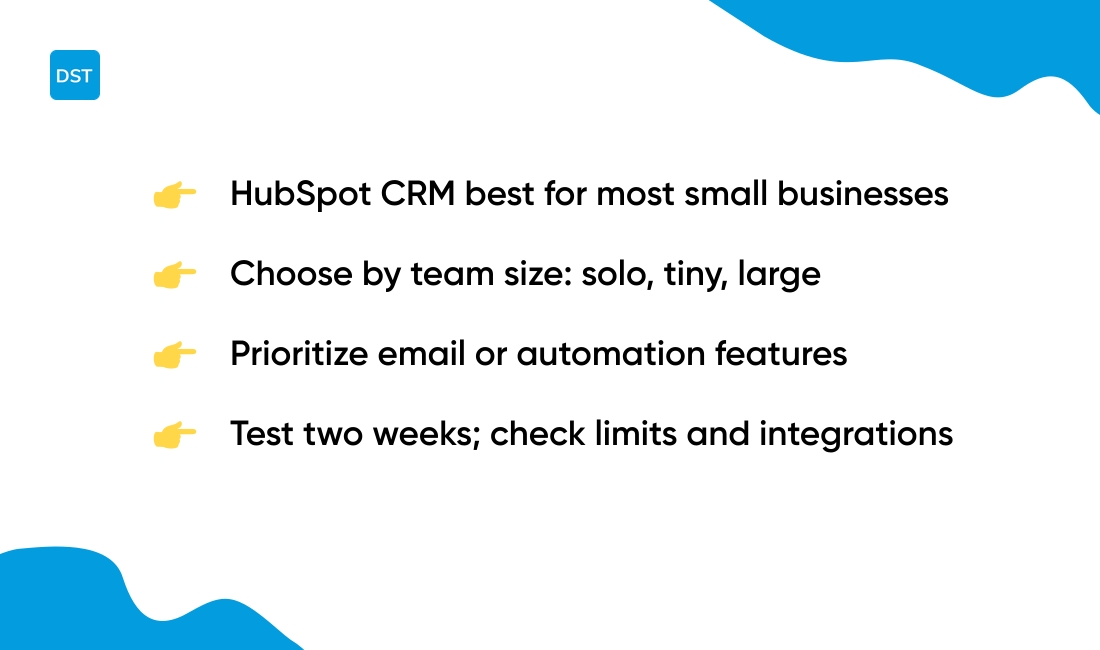
HubSpot CRM works best for most small businesses. Why does it top the list?
|
Feature |
HubSpot CRM |
Zoho CRM |
Bitrix24 |
|---|---|---|---|
|
User Limit |
Unlimited |
Up to 3 |
Unlimited |
|
Contact Limit |
Unlimited |
5,000 records |
Varies by plan |
|
Email Tracking |
Yes |
Yes |
Yes |
|
Automation |
Basic |
Basic workflows |
Basic |
|
Best For |
Most small businesses |
Teams of 3 or fewer |
Teams needing collaboration |
Pick by team size. Solo sellers do well with Streak or Capsule for inbox-centric workflows. Tiny teams (up to three users) get strong value from Zoho CRM free plan.
Larger or collaborative teams that need unlimited users should try Bitrix24 or Odoo.
Match feature needs. Prioritize email marketing if you send newsletters or transactional mail. Brevo and EngageBay offer free sends and simple automation.
Prioritize automation if you want lead scoring, sequences, or workflow triggers. Freshsales and HubSpot include useful automation on free tiers.
I’d say HubSpot balances ease and scale for most small businesses. Bitrix24 fits teams that need collaboration tools beyond CRM.
Final checklist before you install: check user limits, contact caps, available integrations, mobile access, and data export options. Test your top pick for two weeks and measure time saved, lead response rate, and email deliverability.
What is the difference between free CRM and contact management software
Free CRM is a growth tool, not just an address book.
-
Sales pipeline features — Visual pipelines track deals by stage and velocity. You get deal value, win rates, and conversion timings.
-
Automation capabilities — Trigger emails, assign tasks, and score leads automatically. Automation cuts manual follow up and saves hours per week.
-
Reporting analytics — Dashboards show revenue forecasts and rep performance. Reports let you spot bottlenecks and improve close rates.
-
Business process integration — Free CRMs link with invoicing, support, and marketing stacks. Contact managers usually store only names and notes.
Solo users often do fine with simple contact management software. Growing teams need the features above to scale sales and keep data clean.
When evaluating the best free CRM software look at user limits, automation depth, and export options. Check integration with your tools and mobile apps.
Pair a CRM with document management systems to keep contracts and proposals tied to deals.
Short checklist to decide: does the tool show pipelines, run automations, and produce reports? If yes, choose a free CRM. If not, a contact manager will do for basic address book needs.
Read also: Top 14 White Label Project Management Software
Are there any free open source CRM options
Self-hosted open-source CRMs work well for technical teams that want full control.
Odoo and EspoCRM offer practical paths to ownership. Data ownership stays with you. Unlimited customization lets devs map workflows. No user limits removes per-seat fees.
-
Odoo — modular ERP+CRM with thousands of community modules. Best for teams that need finance or inventory tied to sales.
-
EspoCRM — lightweight, fast, and easy to extend. Best for teams that want a focused CRM without extra ERP weight.
-
Cost impact — self-hosting removes subscription fees that often range $10–30 per user per month. You pay hosting and maintenance instead.
Open-source CRMs pay off if you have developers or an IT partner. Plus, you’ll avoid vendor lock-in down the road.
Actionable pick: choose EspoCRM for lean teams that need speed. Choose Odoo for integrated business systems and heavy custom needs.
If you want free CRM software with full control, self-hosted open source is the best open source CRM path to consider.
You might also like: Top 10 Best Collaborative Whiteboarding Tools
Is a free CRM secure enough for customer data
Free CRM software can protect basic customer data if providers use strong controls.
Here’s the thing: a short security checklist helps before you trust a free plan.
-
Data encryption — Confirm AES-256 at rest and TLS 1.2+ in transit. Ask providers for encryption details and key management policies.
-
Compliance certifications — Look for SOC 2 Type II, ISO 27001, or GDPR support. These prove regular audits and documented controls.
-
Backup policies — Verify automated backups, retention windows, and restore tests. Check export options so you retain access to your data.
Check access controls next. Require 2FA, role-based permissions, and activity logs. Demand SSO and audit trails if you handle sensitive accounts.
Small teams and startups find free CRMs adequate for low-risk data. Upgrade to paid tiers when you need SLA guarantees, dedicated support, data residency, or HIPAA-level safeguards.
Paid plans often add SSO, advanced logging, encryption key options, and contractual security commitments.
If a breach would harm your brand, plan an upgrade and a recovery playbook. Learn how reputation recovery works by reading our guide on best reputation management software.
You might also like: Top 14 Project Management Software For Agencies



